

一、安装figma mcp
安装figma mcp
claude mcp add --transport http figma https://mcp.figma.com/mcp如果你用的其他类型工具,参考下面地址安装合适MCP
https://developers.figma.com/docs/figma-mcp-server/remote-server-installation/#claude-code
二、安装figma skill
注意不要随便安装figma skill,有些skill只能拉取figma的元数据,使用起来非常不方便。
作者精心对比后,找到一个最好用的skill,它有以下能力,几乎能100%复刻figma原型图为前端代码
拉取figma设计图的完整元数据
自动下载figma原型图的图片资源
对figma设计图截图,以对比实现的前端效果,实时较正
figma skill 安装方式如下(方式一)
npx add-skill OneKeyHQ/app-monorepo --skill "implementing-figma-designs"figma skill 安装方式如下(方式二)
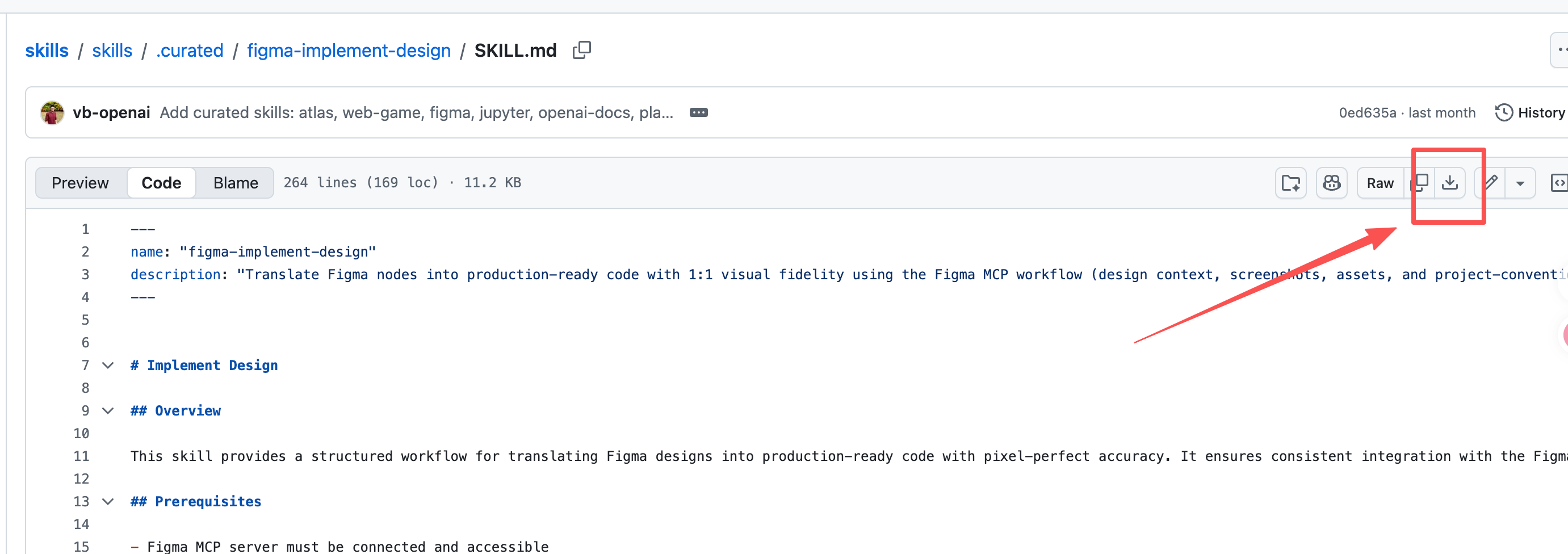
位置:https://github.com/openai/skills/blob/main/skills/.curated/figma-implement-design/SKILL.md?plain=1
安装方式:下载SKILL文件到~/.claude/skills/figma-implement-design/ 文件目录